Forms & workflows
Your process.
Thoughtfully connected.
A better application is only the beginning. Bring the information you collect together with the decisions that move it forward.
The form engine
Make the first step
a clear one.
00 · Overview
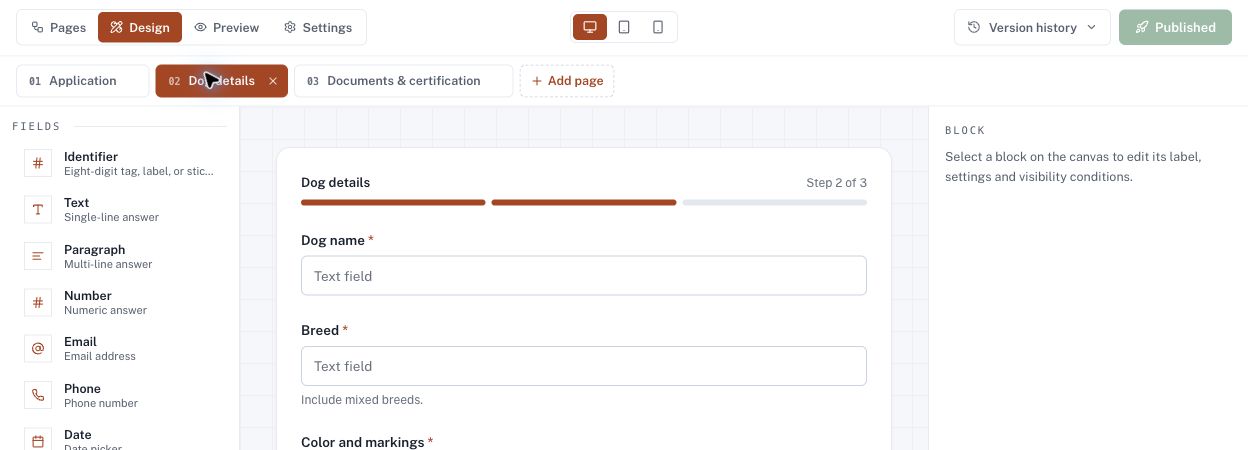
The visual form designer.
Pages, fields and settings in one workspace, so a program’s requirements become an application people can follow.
01 · Structure
Give the application a structure.
Arrange pages, sections and fields into a sequence people can follow.
02 · Questions
Ask what matters.
Configure field labels, required information and visibility conditions around the program.
03 · Preview
See it before it goes live.
Preview desktop, tablet and mobile layouts. Review form versions as the configuration evolves.
The workflow engine
Every handoff.
A considered next step.
00 · Overview
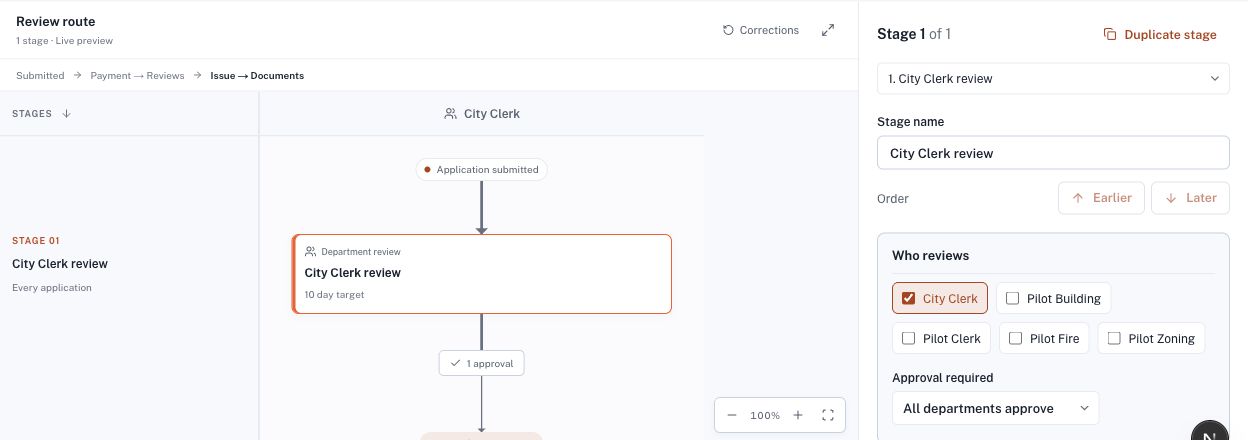
The routing editor.
Define the stages, the departments and the approvals, and see how the pieces connect in a visual routing diagram.
01 · Who reviews
Assign the right departments.
Choose who reviews each stage and what approval means, including parallel department review.
02 · What happens next
Connect every handoff.
Keep sequential stages, corrections and issuance understandable in one diagram.
03 · Keep it moving
Set expectations for each stage.
Configure review targets, reminders and stage emails so work doesn’t stall between desks.
The connection is the point
Forms collect the context.
Workflows carry it forward.
Explore a simplified example of the two engines working together.
The right information.
The right next step.
Configured with
your program in mind.
These are Sekyoor’s platform configuration tools. We work with your agency to translate program requirements into forms and review steps.
Let’s use a demo to walk through your departments, documents and decisions, and discuss the configuration your team needs.
Start with your process
Let’s connect the work your agency does.
Bring a program, a form or a complicated review process. We’ll walk through it together.